WOD: ICS Modules
For this WOD, you will recreate the original page of the ICS course catalog. You can see the original page here Information and Computer Sciences (ICS). However, since there are many courses, I have selected only three of them (ICS 312, ICS 314, ICS 414).
Example: ICS 312
So, the index.html page should look like this:
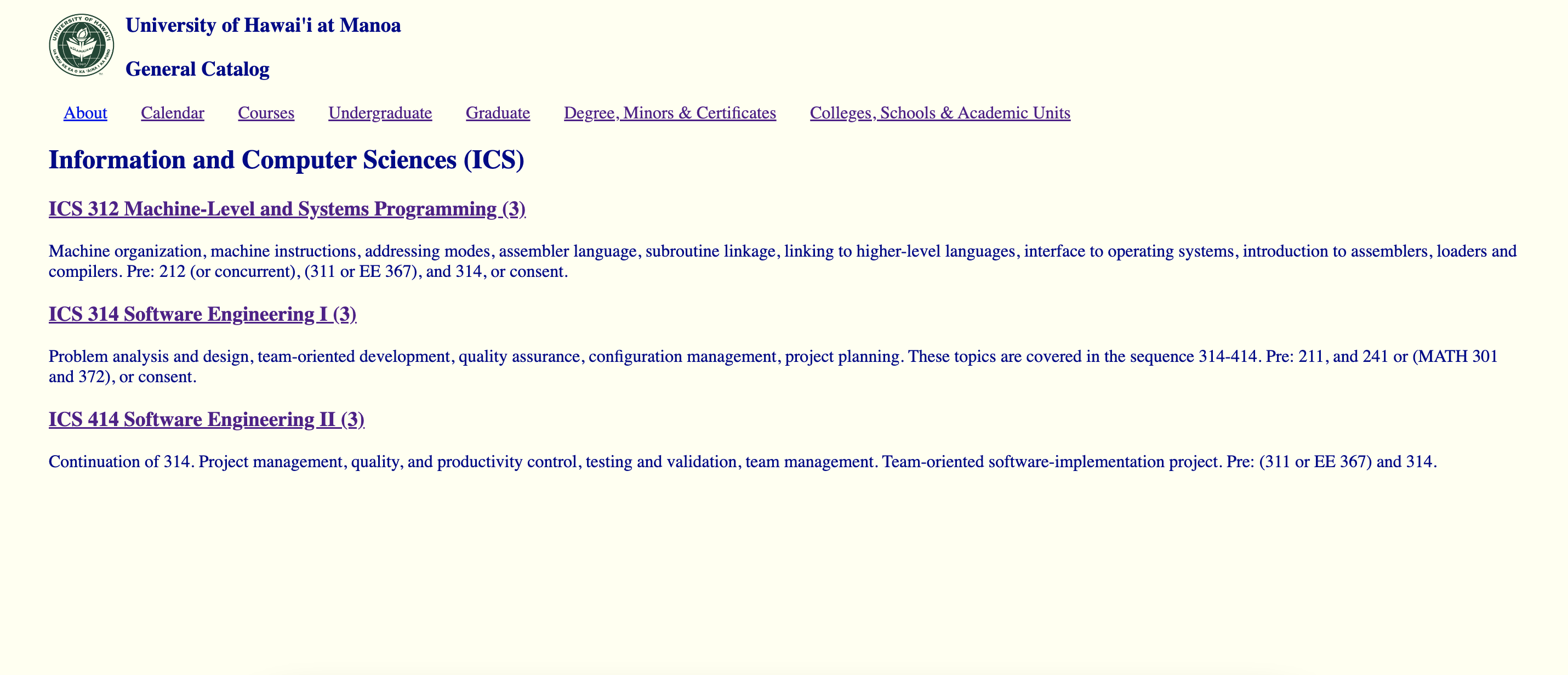
Once you click on the link to the course, it should take you to:

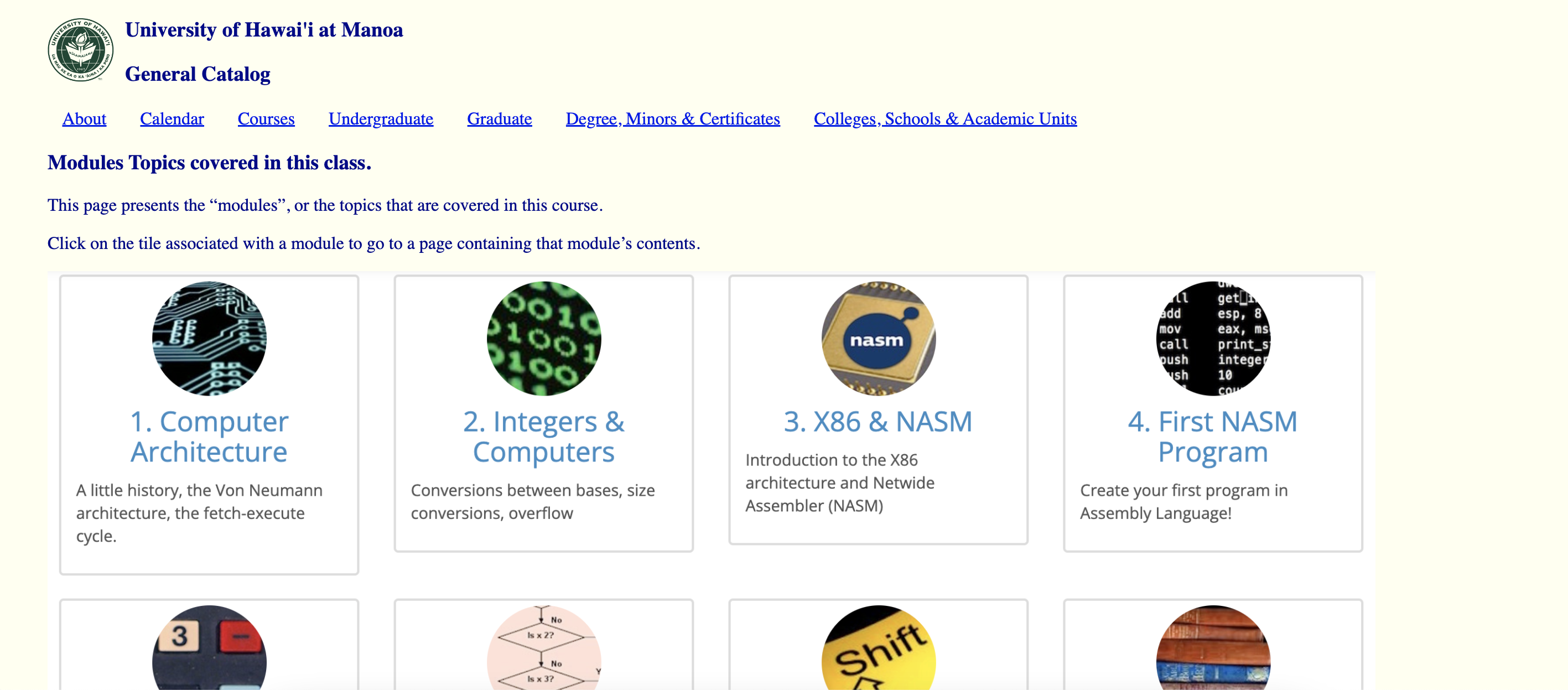
If you click on “See the topics covered in this class”, you should see a page with the topics covered.
Summary
In summary, you should have a total of 6 .html files:
-
The index.html.
-
ics312.html, ics314.html, ics414.html (each page contains more information about that class, which will then link to the modules of each course.)
-
modules312.html, modules314.html, modules414.html (each page contains the modules for that class.)
Download Images
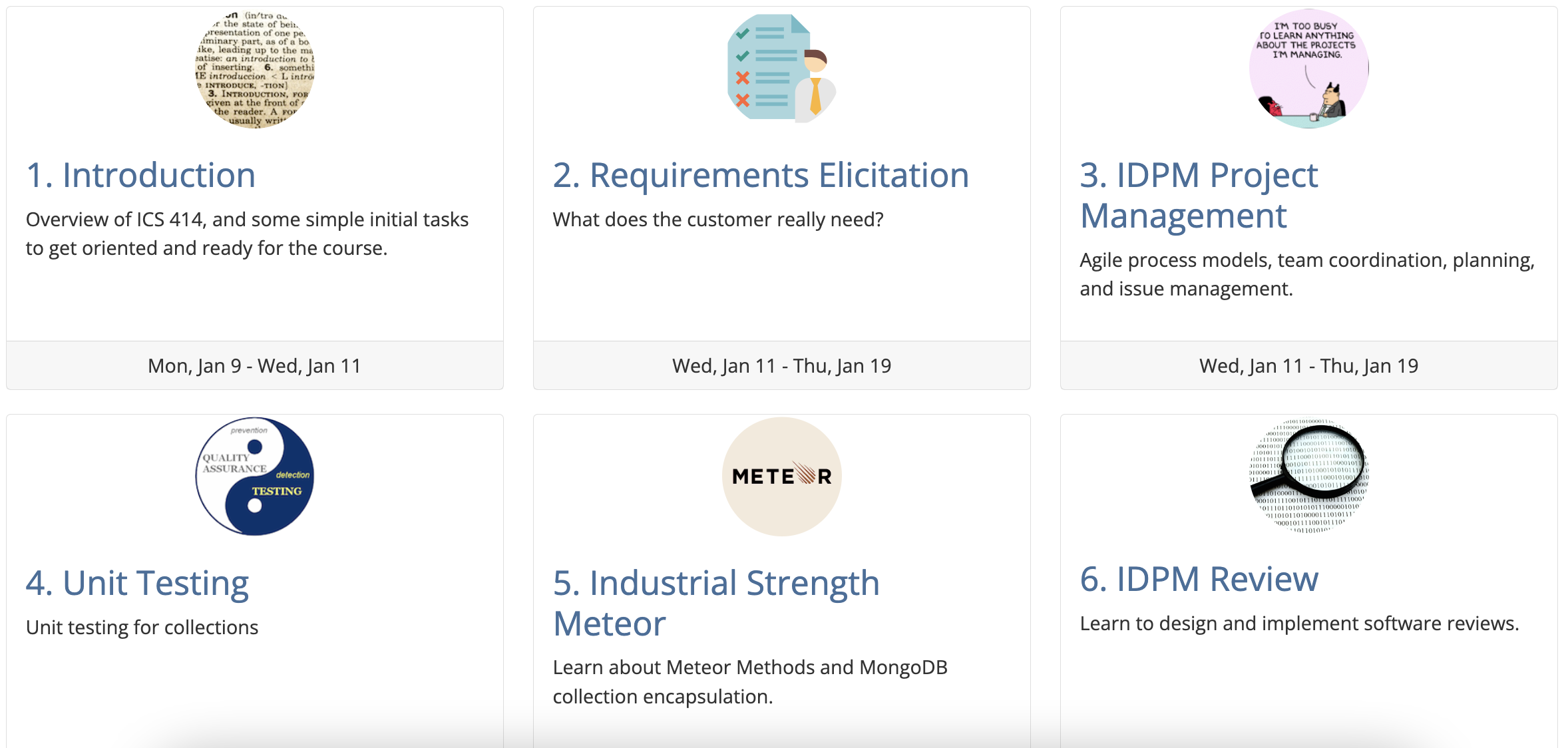
Note that the grid with the modules is actually an image of the actual course website. As a result, you must download and save the three images to your project.
-
ICS 312: http://courses.ics.hawaii.edu/ics314s23/morea/ui-basics/ana-wod-modules-312.png.
-
ICS 314: http://courses.ics.hawaii.edu/ics314s23/morea/ui-basics/ana-wod-modules-314.png.
-
ICS 414: http://courses.ics.hawaii.edu/ics314s23/morea/ui-basics/ana-wod-modules-414.png.


Ready? Let’s begin. Here are the steps:
-
Create a GitHub repository called icsmodules and clone it to your local file system.
-
Create an IntelliJ project called icsmodules in your repo. And create the index.html, style.css, ics312.html, ics314.html, ics414.html, modules312.html, modules314.html, and modules414.html.
-
In the index.html:
3.1. Use the UH Manoa logo and write “University of Hawai’i at Manoa” and “General Catalog” for the headers.
3.2. Create a navbar containing the items inline: About, Calendar, Courses, Undergraduate, Graduate, Degree, Minors & Certificates, Colleges, Schools & Academic Units.
3.3. Copy all the headers and paragraphs for all the courses:
ICS 312 Machine-Level and Systems Programming (3): Machine organization, machine instructions, addressing modes, assembler language, subroutine linkage, linking to higher-level languages, interface to operating systems, introduction to assemblers, loaders and compilers. Pre: 212 (or concurrent), (311 or EE 367), and 314, or consent.
ICS 314 Software Engineering I (3): Problem analysis and design, team-oriented development, quality assurance, configuration management, project planning. These topics are covered in the sequence 314-414. Pre: 211, and 241 or (MATH 301 and 372), or consent.
ICS 414 Software Engineering II (3): Continuation of 314. Project management, quality, and productivity control, testing and validation, team management. Team-oriented software-implementation project. Pre: (311 or EE 367) and 314.
3.4. Link all the course headers to their specific pages. (Ex: link to ics312.html).
-
In the ics312.html, ics314.html, ics414.html files:
4.1. Do the same step 3 for each page, but remove information about other courses.
4.2. Create a link (“See the topics covered in this class”) to the modules of that course.
-
In the modules312.html, modules314.html, and modules414.html files:
5.1. Add the header and paragraph below for each page:
Modules Topics covered in this class. This page presents the “modules”, or the topics that are covered in this course. Click on the tile associated with a module to go to a page containing that module’s contents.
5.2. Add the image of each course’s content (given above).
-
Once you are done, type “Done” in the main-chat.

Rx: <15 min Av: 15-20 min Sd: 20-35 min DNF: 35+ min
Submission instructions
You do not need to submit this WOD.