Detecting and removing Dart Analysis warnings
Motivation
The Dart CLI comes with an analyze command, which performs static analysis in order to detect common problems in Dart code. Many of these warnings can be automatically fixed with the fix command.
Detecting and removing Dart Analysis warnings is important for several reasons:
- The quality and readability of your code will be better if these issues are addressed as it will then conform to current best practices.
- Your understanding of the Dart language will improve by detecting and removing violations of best practices.
- The presence of analysis warnings can sometimes prevent “hot reload” from working. Removing them makes hot reload work as well as possible.
Support in IntelliJ
Dart analysis is easily available within IntelliJ IDEA, simply by revealing the “Dart Analysis” tool window using the tab at the bottom of the screen:
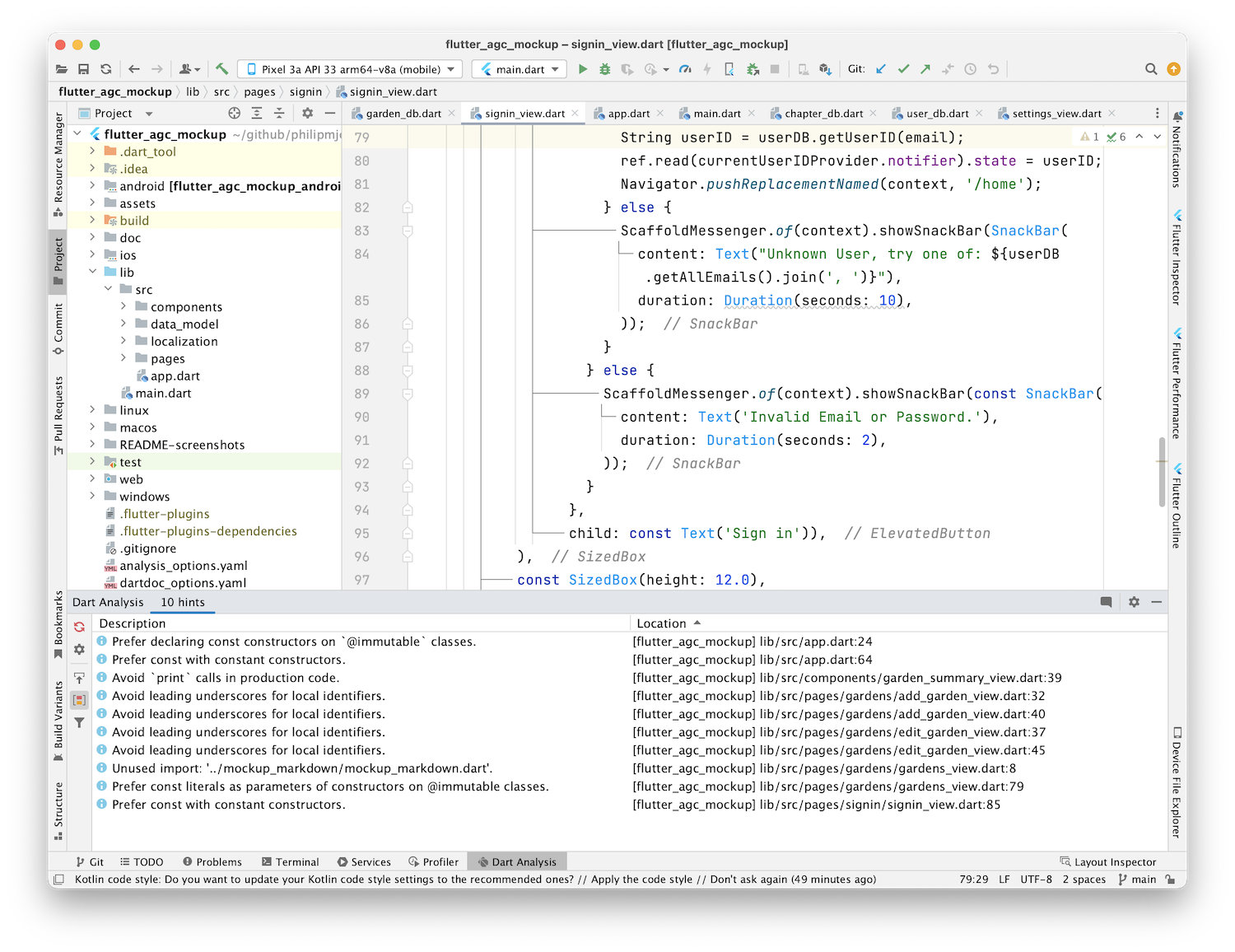
If you double-click on one of the warnings, IntelliJ will navigate to the problematic line of code. If you right-click on a warning, IntelliJ will display options for addressing the error. For example:
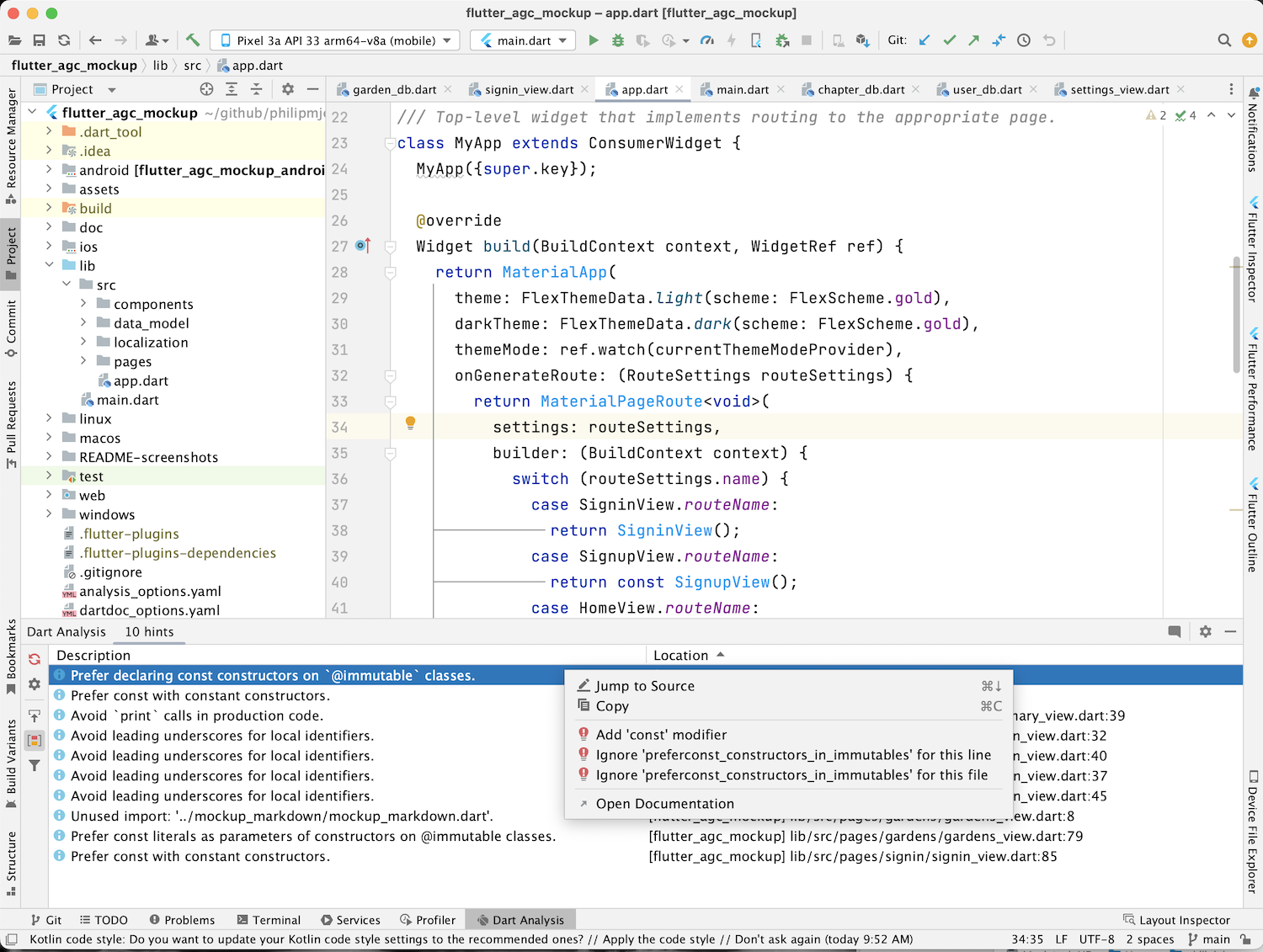
You should periodically check the Dart Analysis window and remove any problems that appear.